We have added full support for Facebook Chat and Instagram Chat as independent chat widget types in the platform's Chat Widget.
Accounts can now configure their widget to route website visitors directly into
Facebook Messenger or Instagram DM
, enabling real-time engagement on the customer’s preferred Meta messaging channels.What's New?
1. New Chat Widget Types
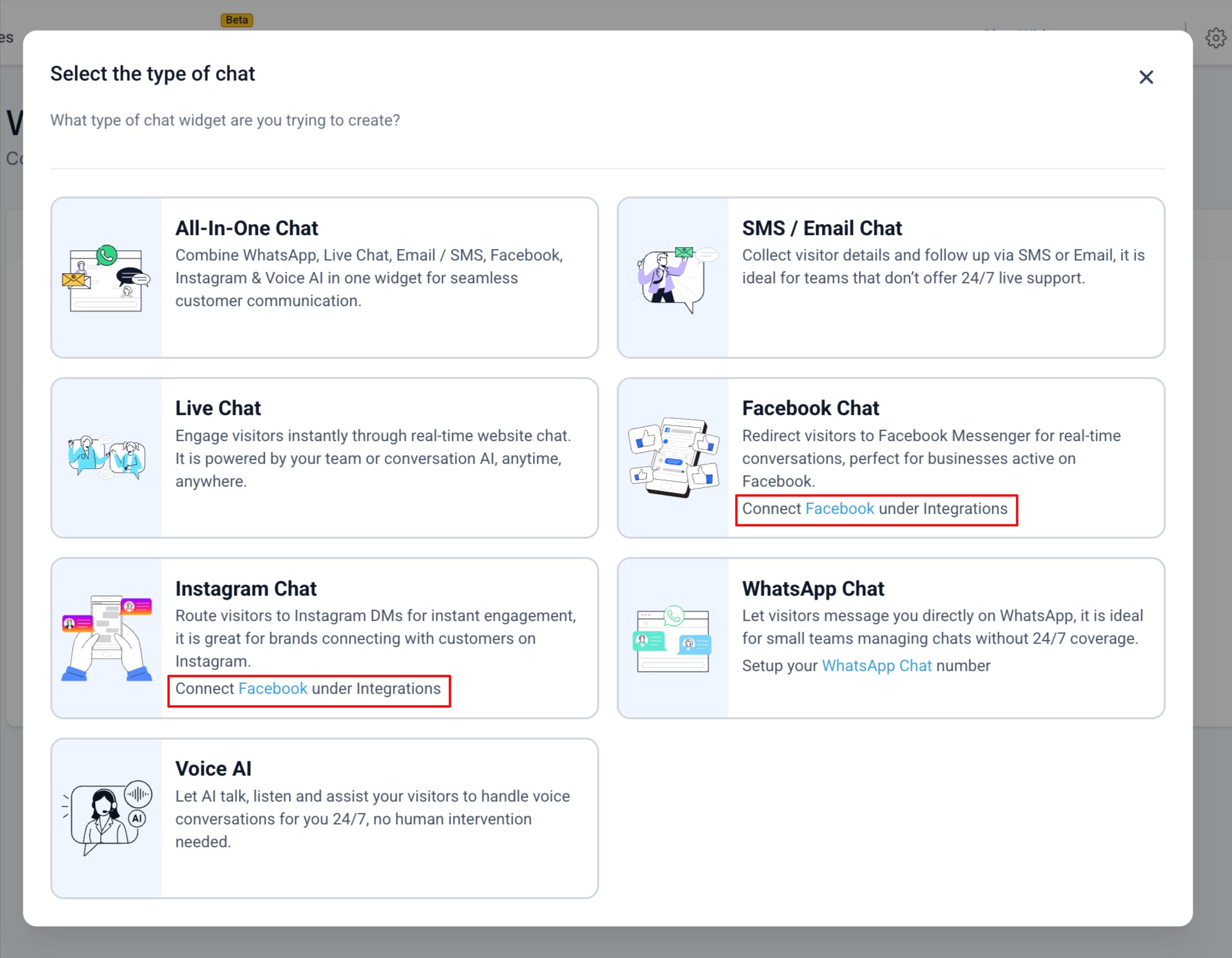
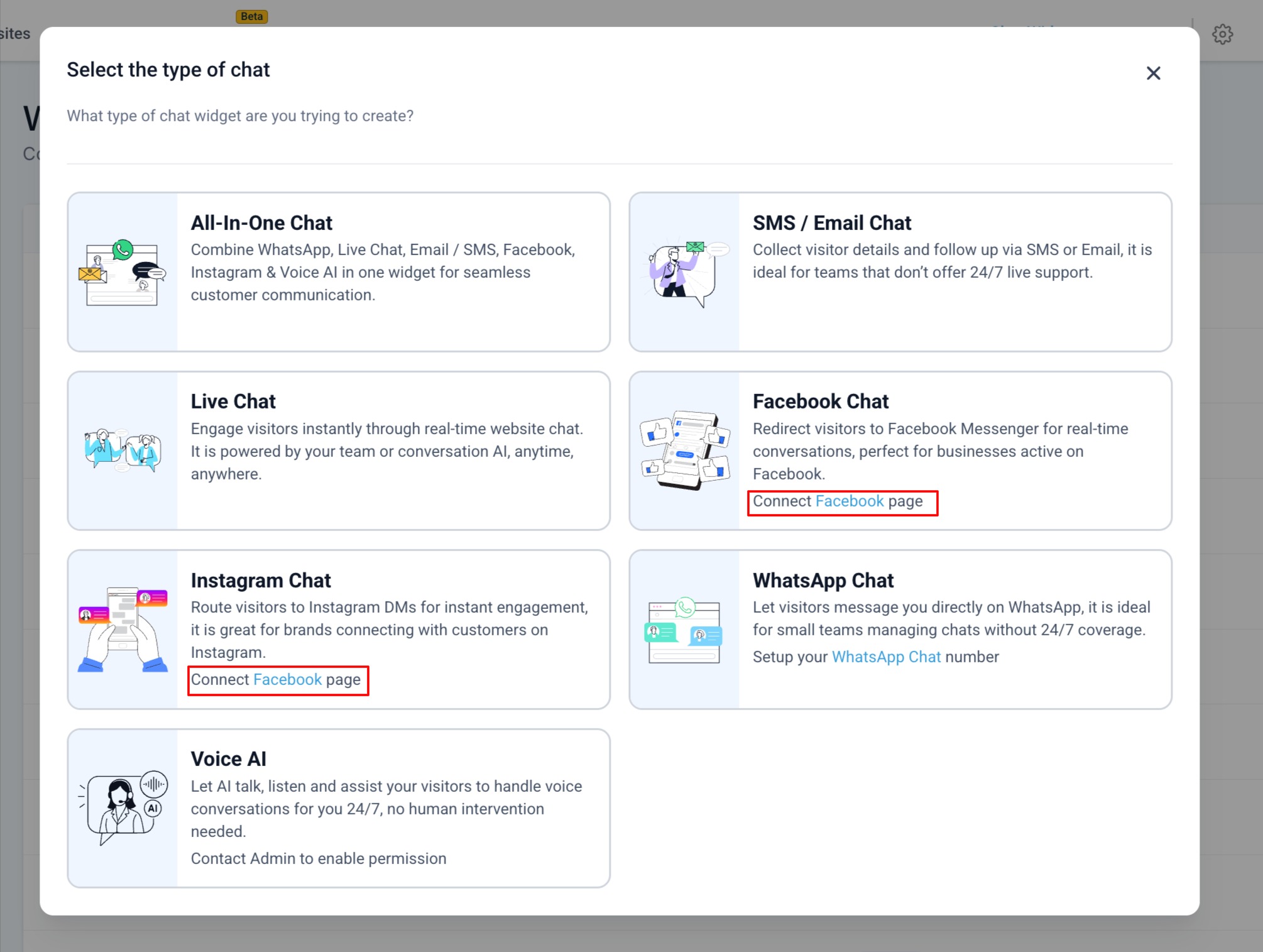
Two new chat types are now available in the selector modal:
- Facebook Chat- Redirect visitors to Facebook Messenger for real-time conversations.
- Instagram Chat- Route visitors to Instagram DMs for instant engagement.
These appear in the “Select the type of chat” screen with updated sub-text and illustrations.
2. Facebook Chat Setup in Widget Builder
- A new Facebook Chat Setupaccordion is added under theChat Windowtab.
- Users can select a connected Facebook Page from a dropdown.
- If no connected pages exist, users can click Connect a linked Facebook pagebutton to open the updated connection modal.
No
changes were made to the Style
or Messaging
tabs.3. Instagram Chat Setup in Widget Builder
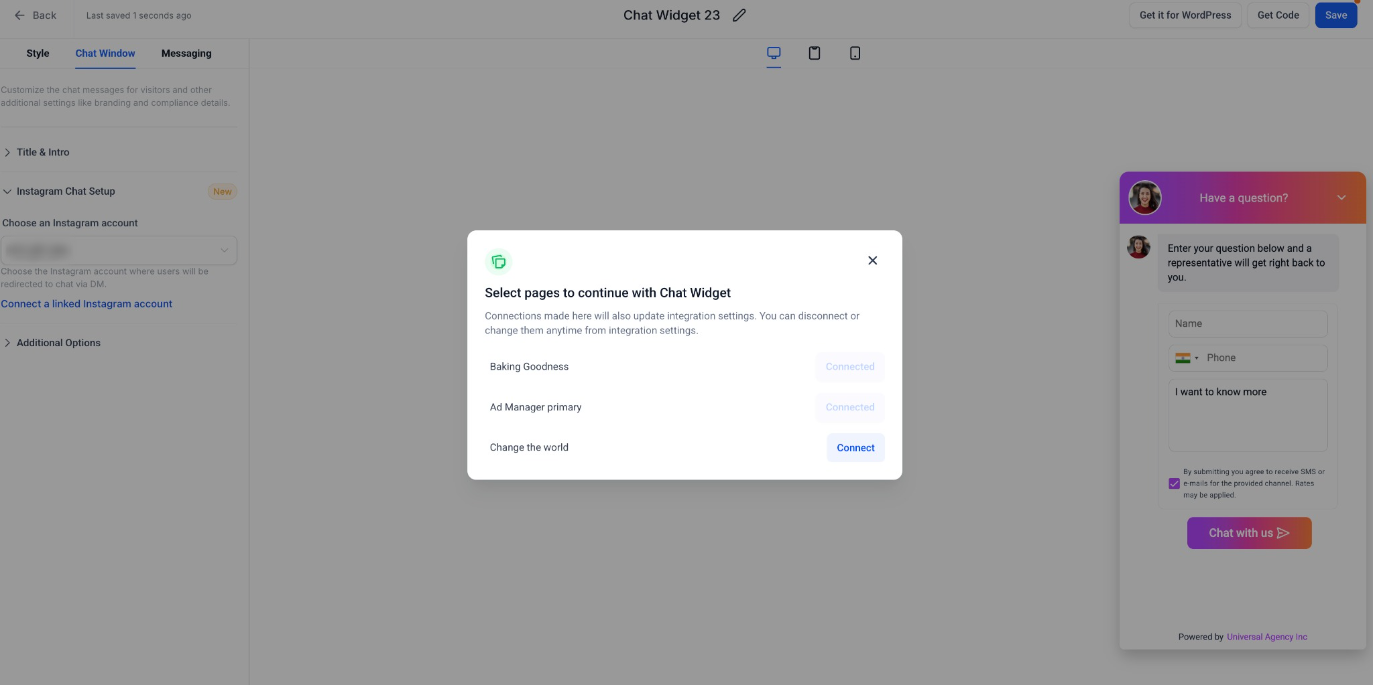
- A new Instagram Chat Setupaccordion appears on the Chat Window tab.
- Users can choose from their connected Instagram accounts.
- If no accounts are linked, Connect a linked Instagram accountbutton opens the Meta integration connection modal.
Again, no changes were made to the Style or Messaging tabs.
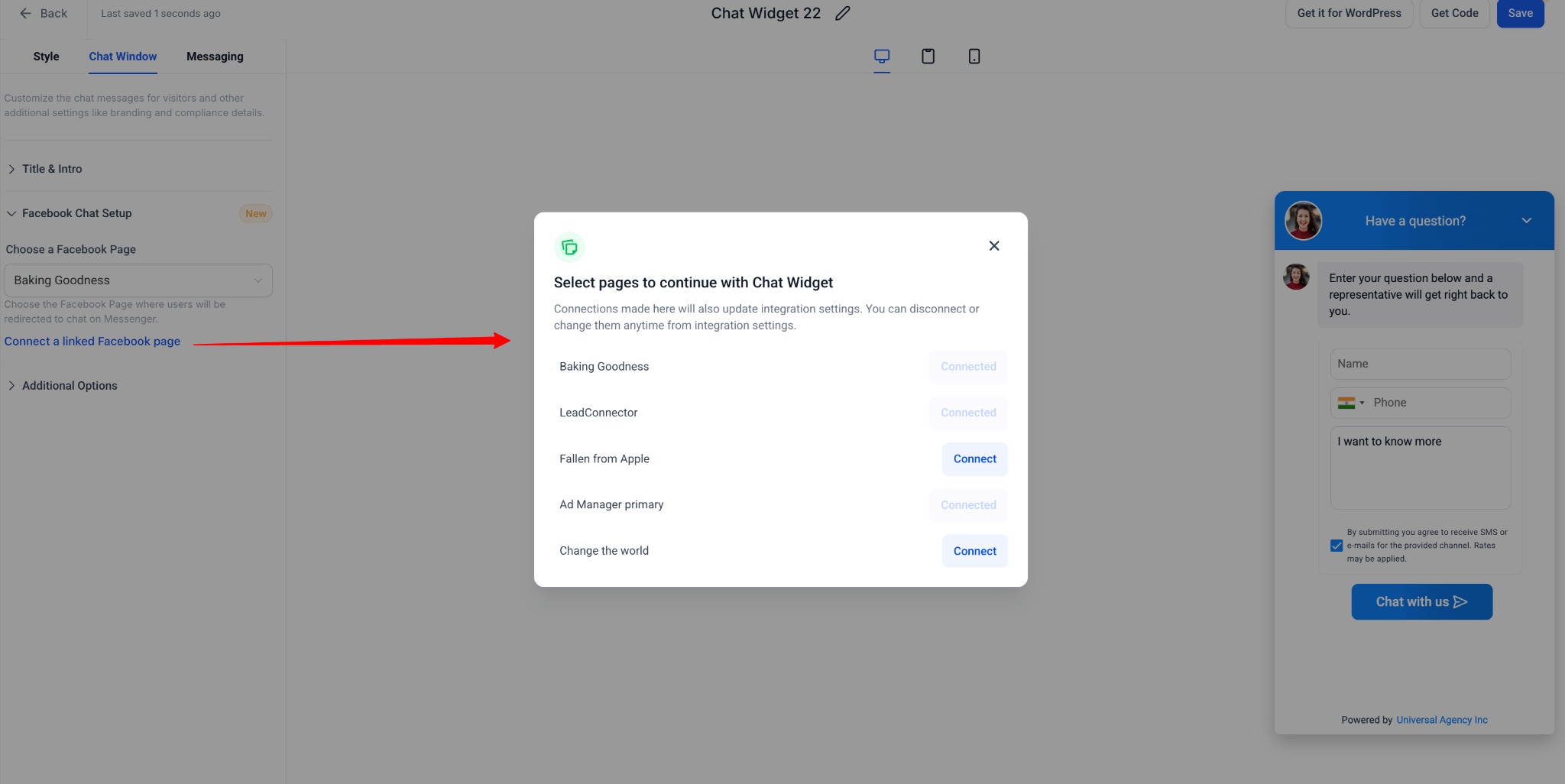
4. Updated Meta Page/Account Connection Modal
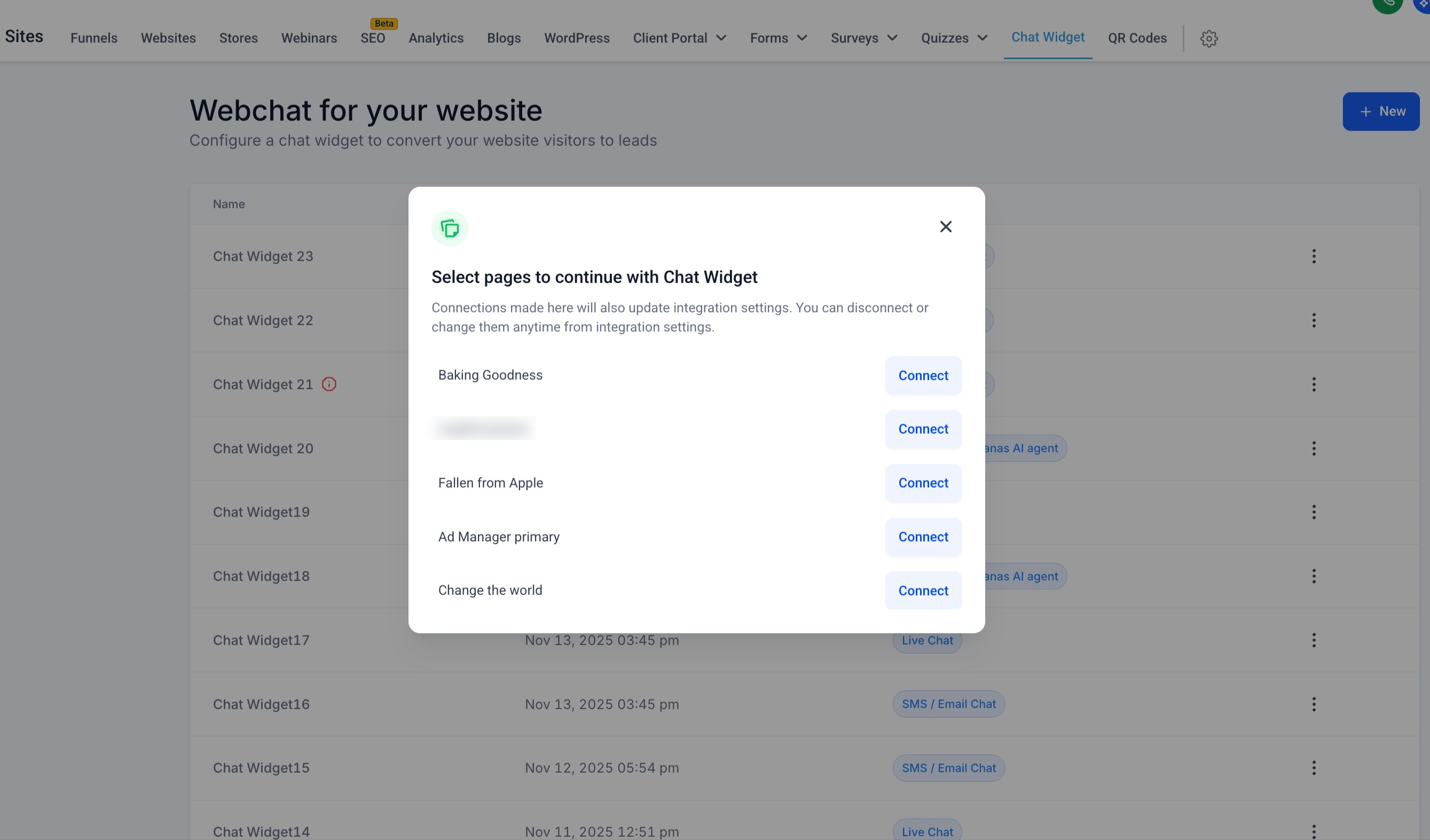
When users click “Connect a linked Facebook page” or “Connect a linked Instagram account”, the system opens an enhanced modal that:
- Lists all available Facebook Pages or Instagram-connected Pages
- Indicates which pages/accounts are already connected
- Allows users to connect additional pages without leaving the widget flow
- Syncs integration settings automatically upon connection
This prevents redirection to a new window and keeps the experience fully aligned with the chat widget expected behaviour.
How to Use
- Go to Sites > Chat Widgets > New.
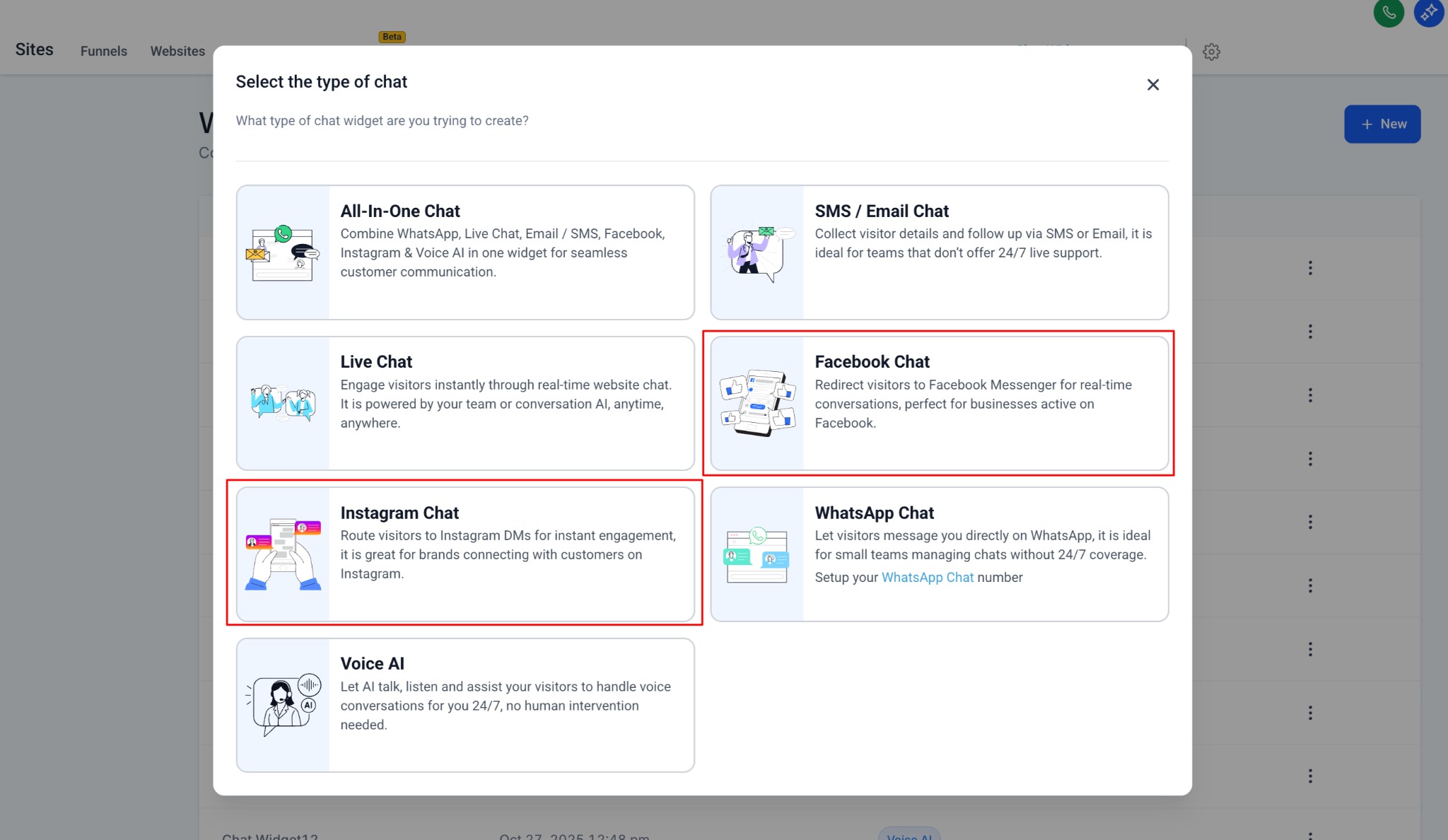
- Select Facebook Chat or Instagram Chatfrom the chat type modal.
- Navigate to Chat Windowtab.
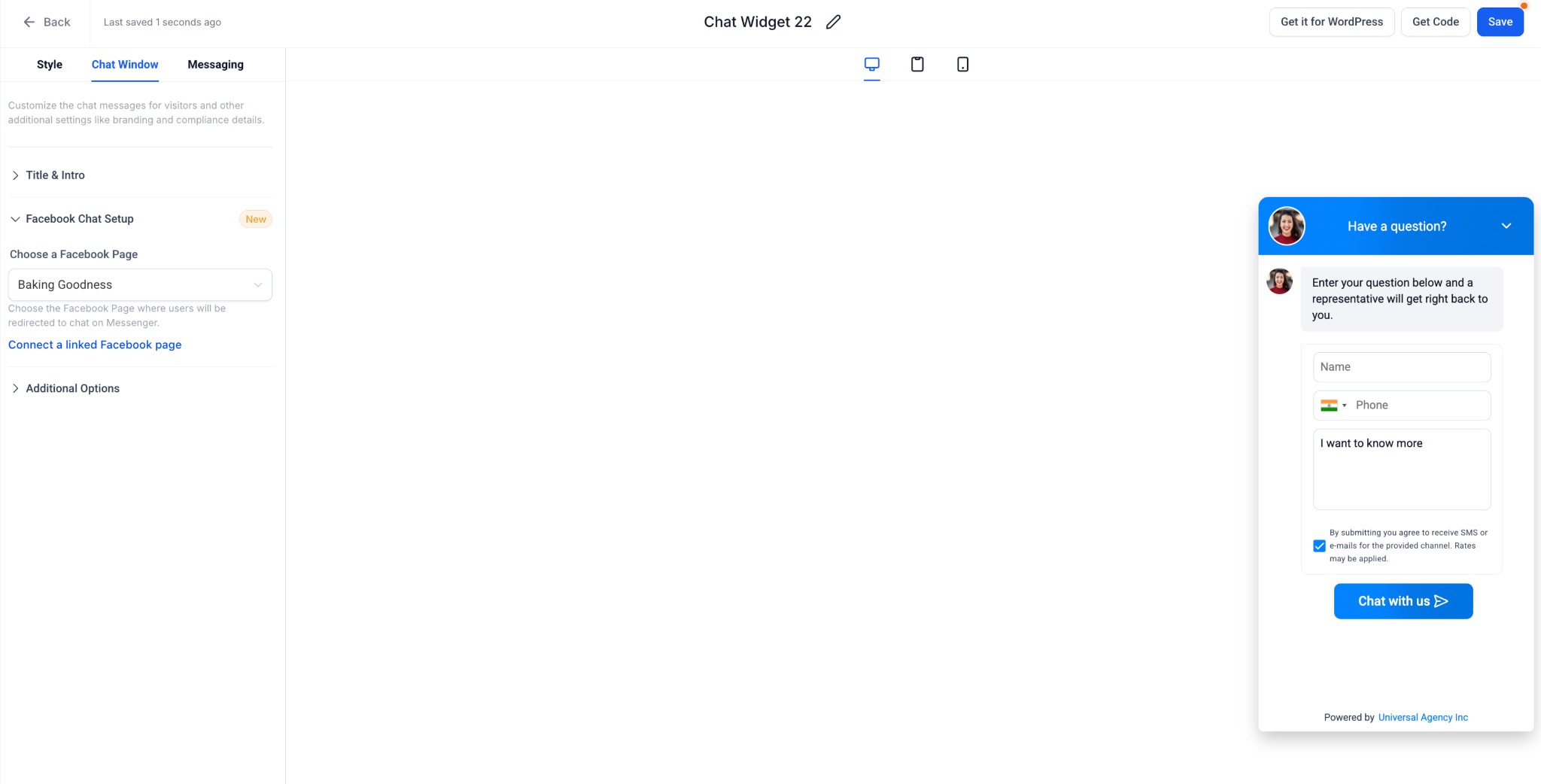

- Choose a connected Facebook Page or Instagram Account.
- If needed, click Connect a linked Facebook/Instagram accountbutton to open the new connection modal and add more pages/accounts.
- Save the widget and embed it using Get Codeon your website/funnel.
- Visitors interacting with the widget will be redirected to Messenger or Instagram DM automatically.
Why This Feature?
Enables businesses to leverage their existing Facebook & Instagram presence for conversational engagement.
Gives platform owners more flexibility in offering channel-specific widgets for Meta messaging.
Provides a cleaner, predictable, and unified experience like we have for WhatsApp chat type.
Reduces friction by aligning onboarding flows and account/page connection handling across all supported chat types.
Strengthens the software's multi-channel communication capabilities.
Notes:
- If no Facebook account is connected under account integration settings, users will not be allowed to create a FB or IG chat widget; they will be asked to connect the same with proper direction.
- If Facebook account is connected but no pages are selected, a page selection modal opens up.
- All other customizations like styling, widget placement amongst others remain the same for both IG and FB type chat widget.
Was this article helpful?
That’s Great!
Thank you for your feedback
Sorry! We couldn't be helpful
Thank you for your feedback
Feedback sent
We appreciate your effort and will try to fix the article
