You can now decide exactly who on your team can touch each part of WhatsApp. Seven new per-action permissions let account admins control who creates templates, edits flows, manages phone numbers, updates your business profile, or disconnects WhatsApp entirely. Precise control, zero disruption, and it is live today.
WhatsApp is one of your most business-critical channels. From today, only the people you choose can change how it is configured.
What's new
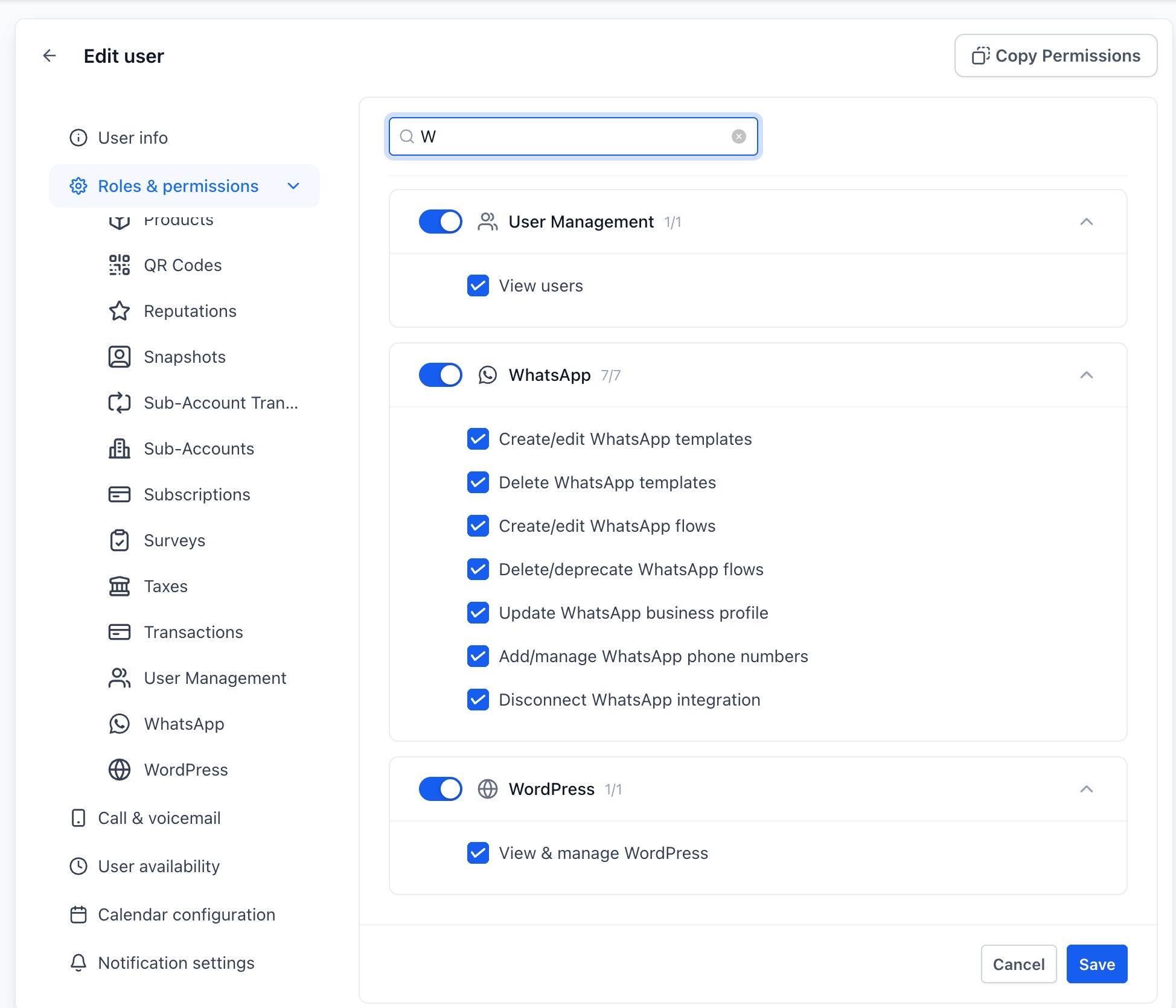
A dedicated WhatsApp permission section
- WhatsApp is now its own module:Find it directly underSettings → Users → Edit → Roles & permissions, at account level. Account admins set policy across accounts, and account admins manage their own staff. No more all-or-nothing access to WhatsApp settings.
Seven per-action permissions
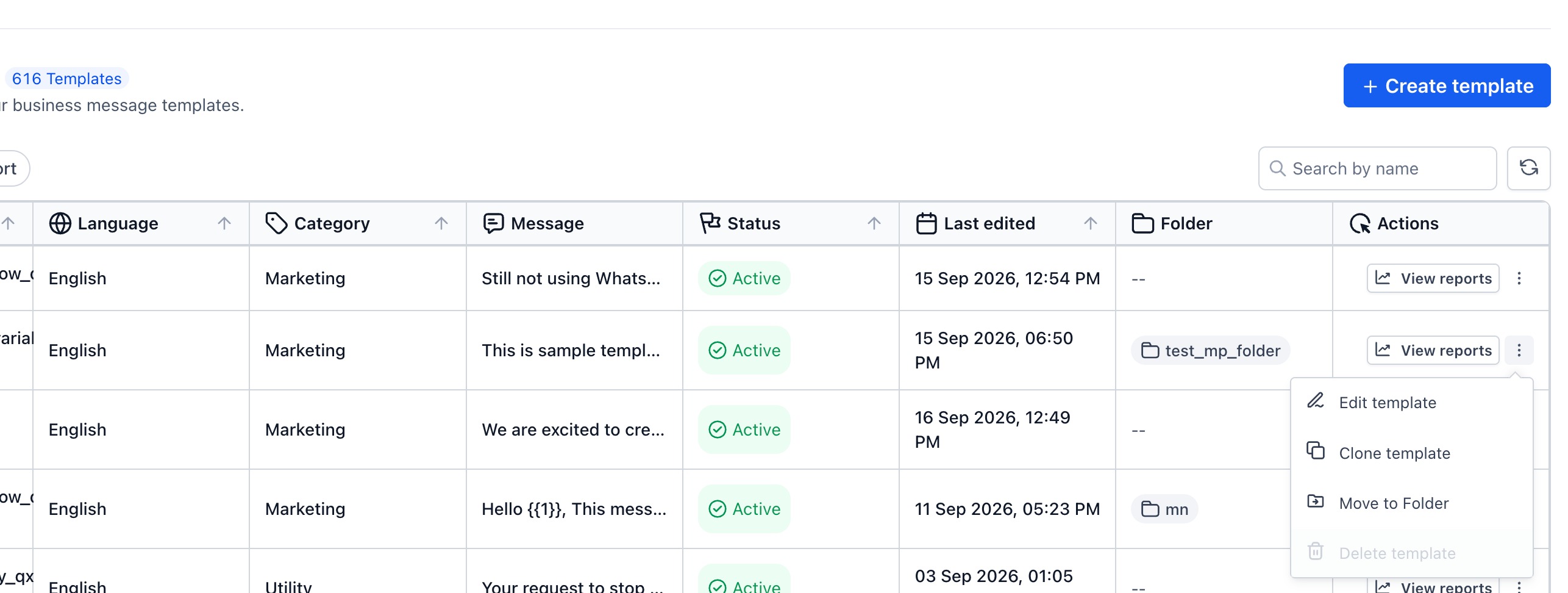
- Create and edit templates:Control who can author or change WhatsApp templates. This matters more than it sounds, because an edited template goes back to Meta for review, so an unplanned edit can pull a working template out of service.
- Delete templates:Keep your approved template library safe from accidental removal.
- Create and edit flows:Decide who can build or change WhatsApp flows.
- Delete or deprecate flows:Protect live flows that your automations depend on.
- Update business profile:Your profile is what customers see on WhatsApp, so now only the right people can change it.
- Add and manage phone numbers:Control who can attach or manage the numbers your business sends from.
- Disconnect WhatsApp integration:The most sensitive action of all, now lockable to just your trusted admins.
Safe by default, nothing breaks on day one
- Everyone keeps what they had:All seven permissions are granted by default to account owner, admin, and user roles, plus account admin and user roles. Nothing changes until you decide to tighten it, so there is no migration, no scramble, and no disruption to your team.
Enforced everywhere, not just in the UI
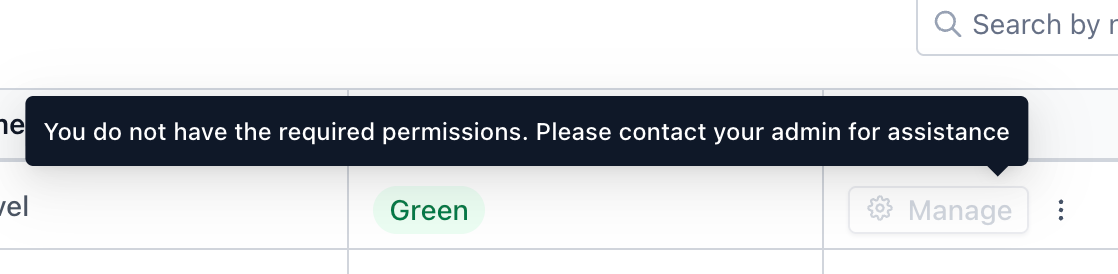
- Real enforcement, not a visual nicety:Restricted actions are disabled in the WhatsApp settings screen with a tooltip explaining why, and the same rules are enforced behind the scenes. A permission you turn off is genuinely off.
Available in every language you work in
- Fully localized:The new permission section is translated, so your global teams see it in their own language.
How to set it up
- Go to Settings → Users.
- Select the user and click Edit.
- Open Roles & permissions.
- Find the WhatsAppsection and toggle the seven permissions to match the access you want.
- Save, and it applies immediately.
Good to know
- Permissions follow the user:A WhatsApp permission is granted or revoked for that user across the accounts they belong to, rather than being set separately per account.
- Changes are auditable:Permission changes appear in your audit logs at the account view level, under Users.
- Available regardless of reselling:The WhatsApp permission toggles show up under Users whether or not WhatsApp reselling is enabled, the same as other products.
Why this matters for your business
As your account grows, more people need access to WhatsApp, but not all of them need the ability to reshape it. Until now, granting someone access to WhatsApp settings meant granting them everything, including the ability to delete approved templates or disconnect the integration outright. That is a lot of risk to hand to a new hire or a contractor.
- Protect a live revenue channelby restricting disconnect and phone number management to the few people who should hold it
- Keep your approved template library intact, since deletions and edits that trigger Meta re-review are now gated
- Delegate confidently, giving new team members exactly the access their job needs and nothing more
- Scale your team without scaling your risk, with account-wide policy set once and applied consistently
- Answer "who changed this?"with permission changes captured in your audit logs
Head to Settings → Users → Roles & permissions and set up your WhatsApp access the way it should have been all along.
Was this article helpful?
That’s Great!
Thank you for your feedback
Sorry! We couldn't be helpful
Thank you for your feedback
Feedback sent
We appreciate your effort and will try to fix the article