What’s New
We’ve added new automation and publishing controls for Video Testimonials, making it easier for businesses to act on new submissions immediately and control which testimonials appear on their widgets.
This release introduces two key enhancements:
- Video Testimonial Received Workflow Trigger
- Video Testimonial Approval & Visibility Controls
Key Capabilities
1. Video Testimonial Received Workflow Trigger
Businesses can now trigger automated workflows the moment a new video testimonial is submitted through a Video Testimonial Collector.
This enables teams to automate actions such as:
- Notify internal teams when a new testimonial is received
- Send a thank-you or follow-up message to the reviewer
- Create tasks or notes for the team
- Pass testimonial information into webhooks or other workflow actions
- Build different automation paths based on the collector or marketing consent
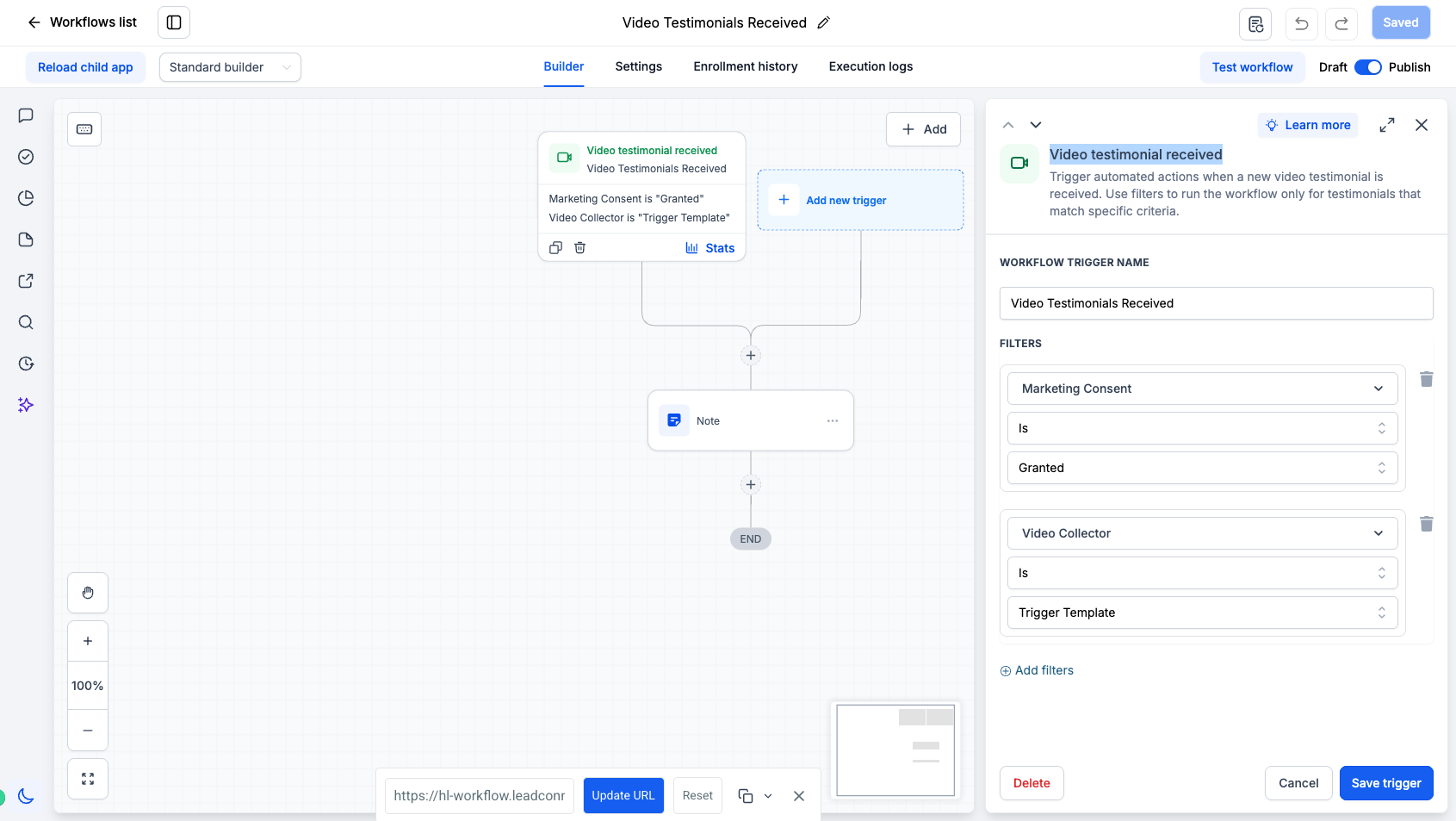
2. Filter Testimonial Workflows
The trigger supports filters so businesses can control which submissions enter a workflow.
Available filters include:
- Marketing Consent – Run workflows based on whether marketing consent was granted
- Video Collector – Trigger workflows only for testimonials submitted through a specific collector
This makes it easy to build separate automations for different campaigns, products, events, partners, or testimonial use cases.
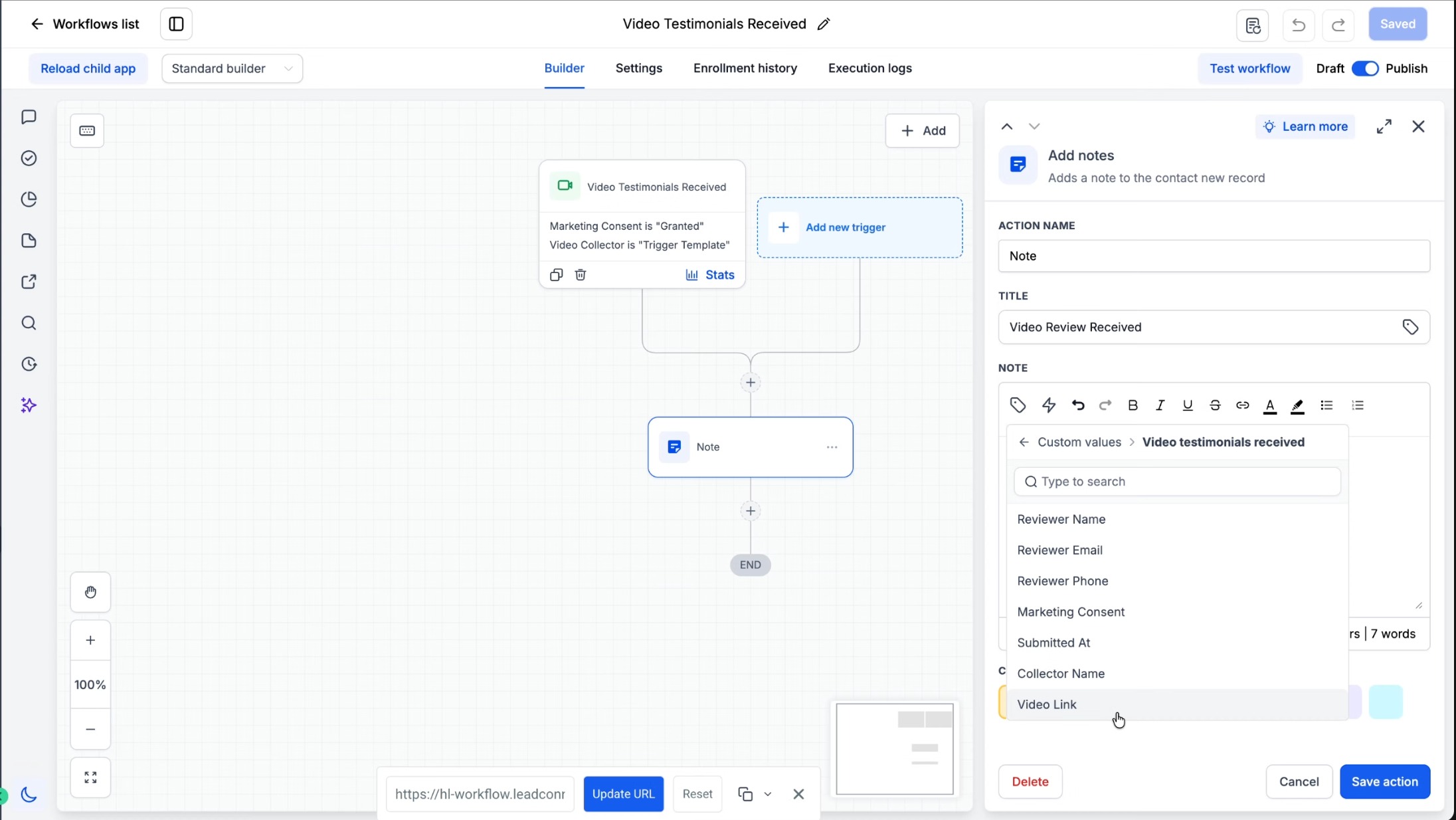
3. Video Testimonial Custom Values
Testimonial data is now available as custom values inside supported workflow actions.
Available values include:
- Reviewer Name
- Reviewer Email
- Reviewer Phone
- Marketing Consent
- Submitted At
- Collector Name
- Video Link
These values can be used inside actions such as internal notifications, notes, emails, SMS, webhooks, and other workflow steps.
4. Video Testimonial Approval & Visibility Controls
Businesses now have more control over which video testimonials are displayed on their widgets.
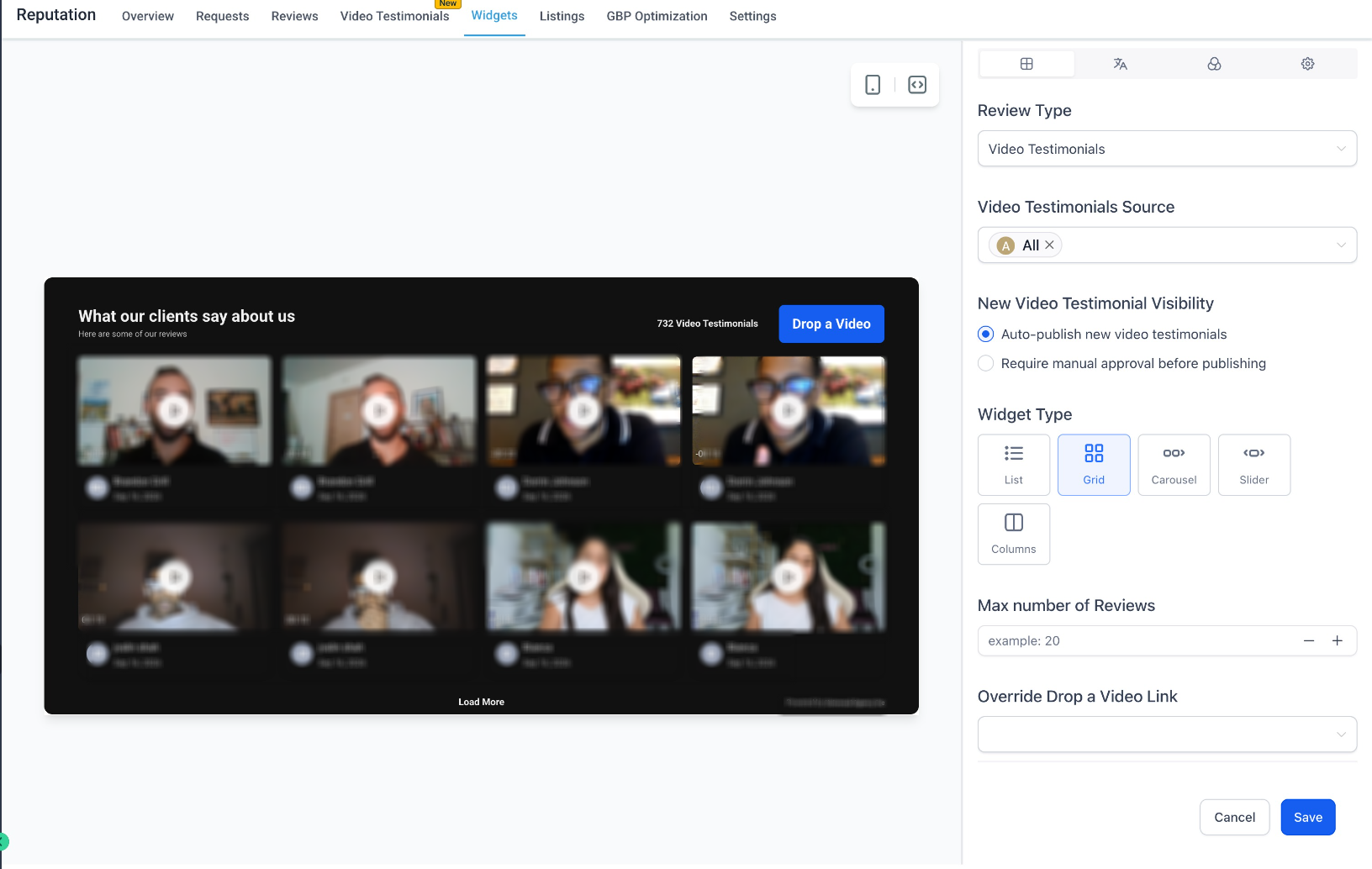
Under the Reputation widget settings, users can choose how new testimonials should be handled:
- Auto-publish new video testimonials: New submissions are automatically displayed on the widget. This is the default behaviour.
- Require manual approval before publishing: New submissions must be reviewed before they are displayed.
This allows businesses to choose between a completely automated experience or a more controlled moderation flow.
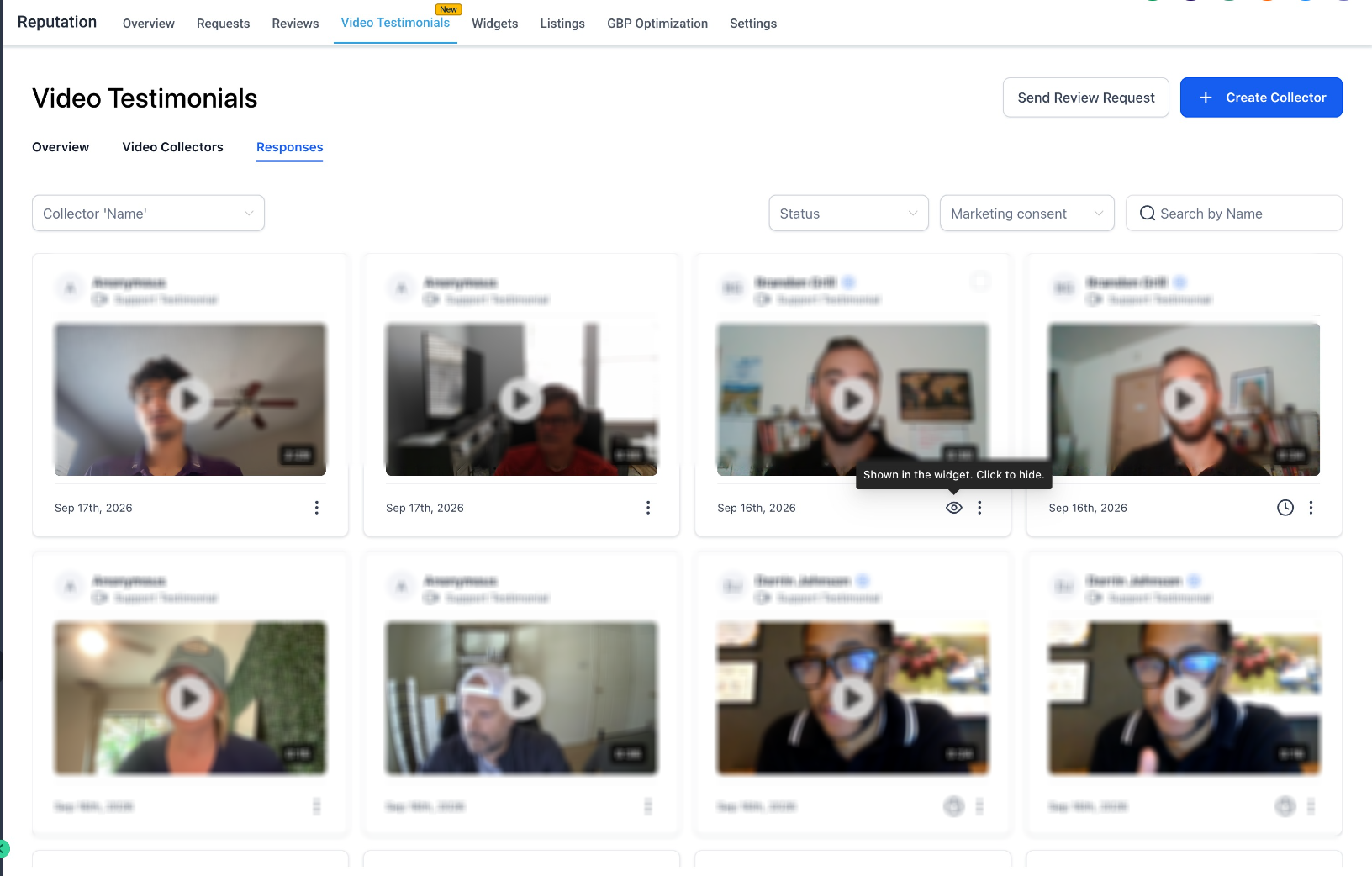
- Review & Manage Testimonials from Responses
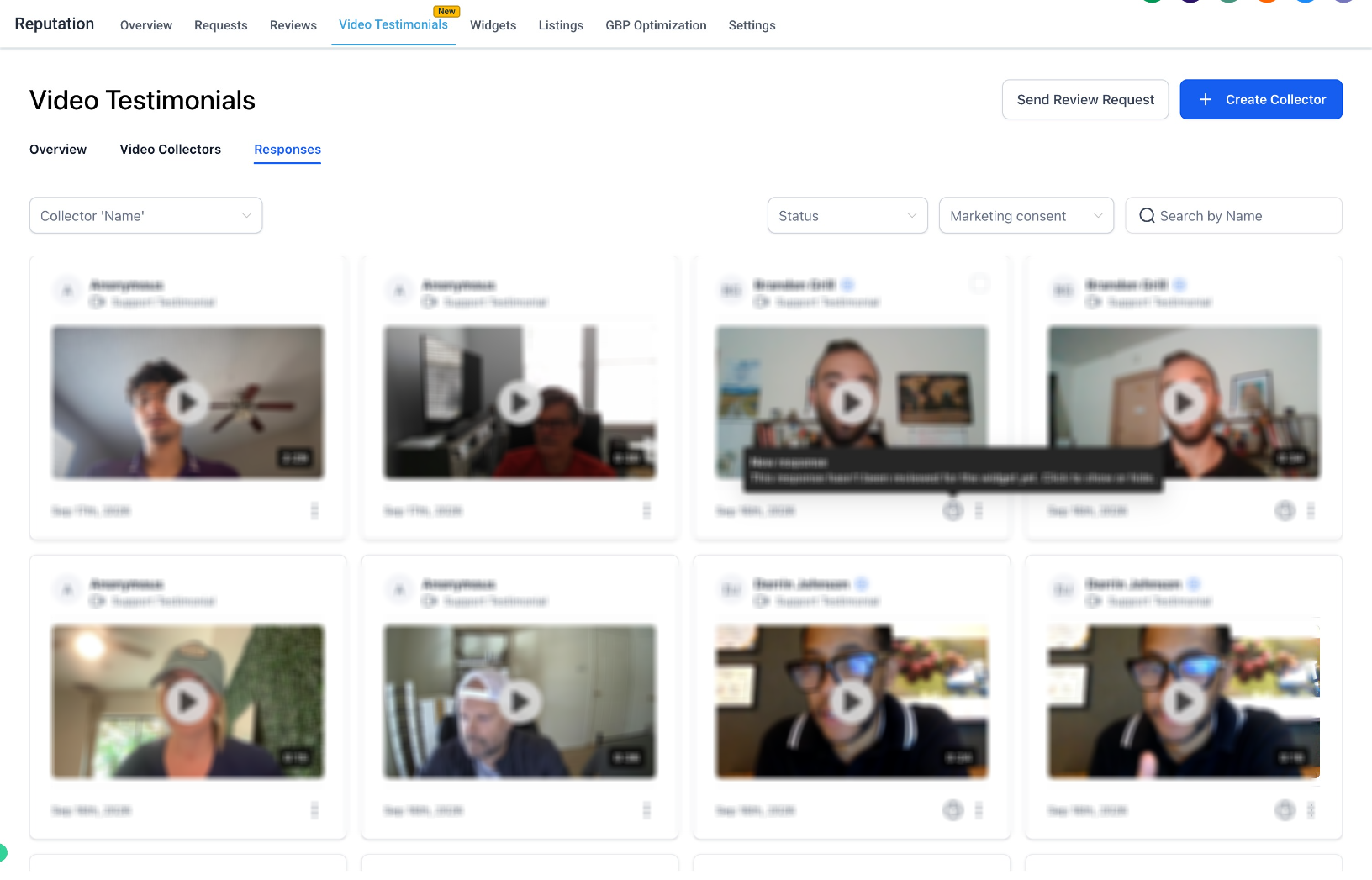
The Video Testimonials → Responses page now makes it easier to understand and manage widget visibility for each submission.
Users can:
- Identify newly received testimonials that have not yet been reviewed
- See when a testimonial is currently shown on the widget
- Show or hide individual testimonials directly from the Responses page
This gives teams control over individual testimonials without having to edit the widget configuration every time.
Why It Matters
- Automates follow-up the moment a video testimonial is received
- Removes the need to manually monitor new testimonial submissions
- Enables collector-specific and consent-aware automation
- Makes testimonial data immediately usable across Workflows
- Gives businesses control over which testimonials appear publicly
- Supports both hands-off auto-publishing and manual approval workflows
- Makes managing testimonial visibility faster from one central Responses view
Together, these enhancements make Video Testimonials easier to collect, automate, moderate, and publish across the customer journey.
Was this article helpful?
That’s Great!
Thank you for your feedback
Sorry! We couldn't be helpful
Thank you for your feedback
Feedback sent
We appreciate your effort and will try to fix the article